Status highlights
Every terminal watches its agent. When the agent finishes, or stops to ask for approval, the cell shifts its tint and animates. You can tell from across the grid which one needs you. It runs off agent hooks, not one hardcoded CLI.
 ARCHITECT
A grid of agent-aware terminals
Most agent tools hand you a list of sessions and a chat window. Architect doesn't. It's a grid of live terminals, one agent per cell, and a cell changes color the moment its agent needs you.
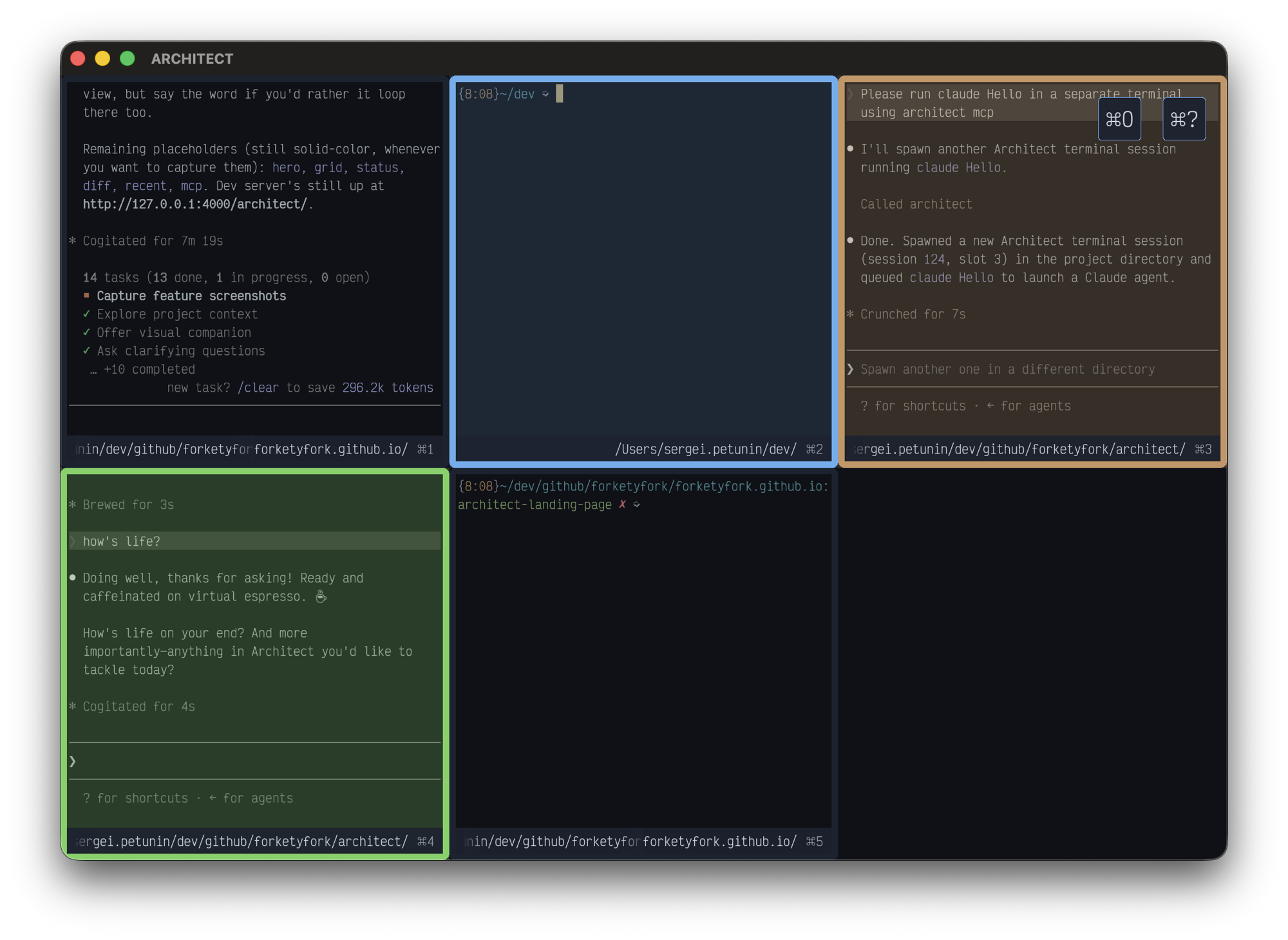
You've seen the layout before: a list of sessions down the left, an agent chat in the middle, the diff on the right. Almost all of them ship the same three panes.
I went the other way. The picture in my head was the Architect's room in The Matrix Reloaded: one chair, a bank of monitors, every screen showing something different. That's what this is. A grid of real terminals, an agent in each, and any of them can grab your attention on its own. You glance at the wall, see which cell is lit, and go.
And it's all built in. No plugins, no config files full of settings you have to look up. The diff view, the directory switcher, the agent detection are part of the app, not add-ons you hunt down.
Point at any clip to play it, click to watch it full size.
Every terminal watches its agent. When the agent finishes, or stops to ask for approval, the cell shifts its tint and animates. You can tell from across the grid which one needs you. It runs off agent hooks, not one hardcoded CLI.
One terminal to start. ⌘N adds another and the grid reflows; ⌘W closes one and the rest compact forward. ⌘Enter blows a cell up to full screen, ⌘Arrow moves focus, ⌘1–⌘0 jump straight to a slot. It's all keyboard.
Architect runs its own MCP server. An MCP-aware app can ask it to open a terminal in any directory, so a tool can hand a task to a new worktree and get its own agent cell, no manual setup on your end.
⌘D shows a repo-wide git diff: staged, unstaged, untracked. Click a line to leave a comment, then send the batch to the agent to act on.
⌘O brings up the directories you've been in lately. Start typing to filter, arrows to move, ⌘1–⌘9 to jump. Matches get highlighted as you type.
⌘T drops you into a git worktree on another branch, or makes a new one. Under the hood it's just git commands sent to the shell, so you can see exactly what it did.
An early-stage thing I use every day. macOS only, and there are still bugs and rough edges.
brew tap forketyfork/architect https://github.com/forketyfork/architect
brew install architect
cp -r $(brew --prefix)/Cellar/architect/*/Architect.app /Applications/
Prefer a pre-built binary? Grab the latest from the releases page.
A few other things I'm building for working with several agents at once.
Want the longer story? Read the blog post.